
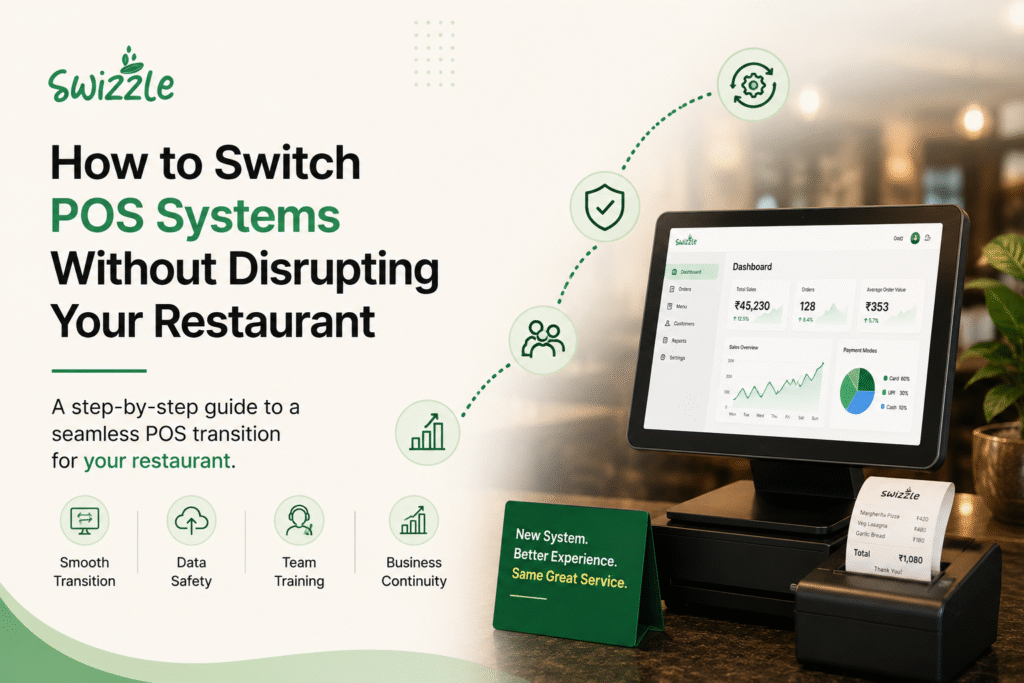
Learning how to switch POS systems is one of the most stressful decisions a restaurant owner will make — right up there with a kitchen remodel or opening a second location. You’ve heard the horror stories: menus that don’t transfer, staff who can’t ring up a table on day one, and a Saturday night rush that grinds to a halt because the new system crashed. Those fears keep thousands of operators locked into outdated software they’ve long outgrown.
Here’s the reality: switching POS systems doesn’t have to be chaotic. With the right plan, most restaurants can migrate in two to four weeks with zero downtime and no lost sales data. This guide walks through exactly how to do it — from auditing your current setup to going live — so you can make the switch with confidence instead of dread.
Why Restaurants Switch POS Systems in 2026
POS replacement is no longer a fringe decision. According to Hospitality Technology’s 2026 POS Software Trends Study, 44% of restaurant operators plan to replace or significantly upgrade their POS in 2026. Separate research found that 53% of operators prioritized POS systems in 2026, up from 40% the year before.
That surge isn’t about chasing shiny new screens. Most operators cite the same handful of pain points:
- Manual reservations create double bookings and lost tables. Without real-time syncing between the host stand and the floor, no-shows and overbooked tables become routine.
- Delivery apps eat into already-thin margins. Third-party platforms typically charge restaurants 15% to 30% commission fees on delivery orders, and once packaging, processing, and promotion fees are layered in, the effective cost per order often lands closer to 30% to 40% of revenue.
- Disconnected tools slow down staff. When reservations, ordering, payments, and inventory all live in separate systems, every shift change becomes a game of copy-paste.
- Owners fly blind on what’s actually selling. Without a unified analytics dashboard, spotting a slow-moving menu item or a staffing gap takes days instead of minutes.
Industry analysts frame this shift as less about hardware and more about infrastructure. As one hospitality technology expert put it, operators aren’t shopping for a new register anymore — they’re shopping for a new foundation. That distinction matters: a POS in 2026 needs to function as the connective layer between the front of house, the kitchen, payments, and guest data, not just a cash register with a touchscreen.
If any of that sounds familiar, you’re not alone — and the good news is that switching is far more manageable than most owners assume.
Signs Your Current POS Is Holding You Back
Before you commit to a migration, it helps to confirm the switch is actually worth the effort. Common signals include:
- Your system can’t handle table-side or online ordering without a third-party bolt-on
- Reports take hours to generate, or don’t reflect what’s happening in real time
- Every new integration requires custom engineering work and a support ticket
- Staff have built workarounds (sticky notes, side spreadsheets) to cover what the POS can’t do
- You’re paying separate subscriptions for reservations, loyalty, and payments that don’t talk to each other
A recent UK operator study captured this shift well: the cost of staying on an inadequate system has quietly overtaken the cost of switching. If your team is spending more time managing the POS than the POS is saving them, that’s your answer.
How to Switch POS Systems: A Step-by-Step Guide
Once you’ve decided to move forward, the process breaks down into seven manageable stages.
1. Audit Your Current Setup
Start by documenting everything your existing system touches: menu items and modifiers, table layouts, staff permissions, loyalty balances, gift card liabilities, and historical sales data you’ll need for tax and reporting purposes. This audit becomes your migration checklist — skipping it is the single biggest reason switches go wrong.
2. Define Your Requirements
List the specific problems you’re solving for. Do you need real-time kitchen display tracking? Integrated payments so you’re not reconciling three statements a month? A single platform for reservations, in-table ordering, and loyalty? Write these down before you take a single demo call — it keeps sales conversations focused on your needs instead of feature lists.
3. Research and Shortlist Providers
Narrow your options to two or three platforms that match your requirements, then request live demos with your actual menu data loaded, not a generic sample account. Ask each vendor directly about data migration support, contract length, and what happens if you need to cancel. [Internal link placeholder: link to a POS comparison or buyer’s guide page — destination URL needed]
4. Plan Your Data Migration
This is where most anxiety lives, and it’s also the most solvable part of the process. A good POS partner will export your menu, modifiers, tax rates, and customer/loyalty data from your old system and import it directly into the new one — usually before your go-live date, not during it. Ask your new provider for a written migration timeline and a named point of contact.
5. Train Your Staff Early
Don’t wait until launch week. Run training sessions at least five to seven days before go-live, using the real menu and real table layout. Identify one or two “power users” per shift who can troubleshoot small issues without pulling a manager away from the floor.
6. Run a Parallel Testing Period
Before fully retiring your old system, run the new POS alongside it for a slow shift or two — a Tuesday lunch, not a Friday dinner rush. This lets staff get comfortable and surfaces any menu or pricing errors while the stakes are low.
7. Go Live and Monitor Closely
Choose your lowest-volume shift for the official cutover, and have your new provider’s support team on standby (ideally reachable by phone, not just a ticket queue) for the first 48 hours. Monitor order accuracy, kitchen ticket times, and payment processing closely during this window.
Common Mistakes When Switching POS Systems
Even well-planned migrations can stumble. Watch for these avoidable errors:
- Switching during peak season. Launch in a slower month, not the week before a holiday rush.
- Skipping the parallel test run. Going straight from old system to new on a Saturday night is asking for trouble.
- Underestimating menu complexity. Modifiers, combos, and happy-hour pricing rules take longer to rebuild than owners expect.
- Ignoring staff feedback during training. The people ringing up orders every day will spot usability problems management won’t.
- Not confirming hardware compatibility. Some platforms require new terminals, kitchen printers, or card readers — factor that cost and lead time into your timeline.
- Signing a long contract without a clear exit clause. Many operators who feel stuck today are locked into multi-year agreements signed before their needs changed. Before you sign with a new provider, confirm the contract length, renewal terms, and what it takes to leave if the platform stops fitting your business.
None of these mistakes are unusual — they show up in most POS transitions to some degree. What separates a smooth switch from a rocky one is whether they’re caught during planning or discovered mid-shift.
What to Look for in a New POS System
Not all replacement systems solve the same problems. When evaluating vendors, prioritize platforms that unify the functions restaurants typically run separately:
CapabilityWhy It MattersSmart reservationsPrevents double bookings and syncs table status in real timeIn-table and online orderingReduces reliance on commission-heavy delivery appsIntegrated paymentsEliminates end-of-day reconciliation across multiple processorsReal-time kitchen trackingCuts ticket times and reduces miscommunication between front and back of houseAnalytics dashboardSurfaces what’s selling, when, and by which staff memberLoyalty and promotionsKeeps repeat guests ordering direct instead of through a marketplaceMulti-location supportLets growing groups manage every site from one account
Why Swizzle Is Built for This Transition
Swizzle was designed specifically to remove the friction restaurant owners run into when they finally decide to switch. Instead of stitching together separate tools for reservations, ordering, payments, and reporting, Swizzle brings all of it onto one platform:
- Smart reservations that update table status in real time, preventing the double bookings and lost tables that plague manual systems
- Real-time kitchen tracking so tickets move accurately from host stand to kitchen to table
- Integrated payments that eliminate the need to reconcile multiple processors at close-out
- Online and in-table ordering that helps you build direct guest relationships instead of paying a 20–30% commission on every order
- Menu management that lets you update pricing and modifiers across every channel from one place
- An analytics dashboard that shows what’s selling and when, without waiting on end-of-day reports
- Loyalty and promotions tools built to keep guests ordering direct
FeatureSwizzleTypical Point ToolsReservations✅ Built inOften a separate subscriptionIn-Table Ordering✅ Built inFrequently bolted onIntegrated Payments✅ Built inUsually a third-party processorAnalytics & Insights✅ Built inDelayed or fragmented reportingLoyalty & CRM✅ Built inRarely nativeMulti-Location Ready✅ Built inOften requires an upgrade tier
For an operator weighing whether a switch is worth it, the calculation is straightforward: running five disconnected tools costs time, money, and visibility every single shift. One platform that handles reservations, orders, payments, and insights together removes that overhead permanently. [Internal link placeholder: link to a Swizzle features or demo request page — destination URL needed]
The Real Cost of Not Switching
It’s worth putting a number on the status quo. If your restaurant relies heavily on third-party delivery apps, a restaurant doing $10,000 per month in delivery orders at a blended 25% effective commission rate pays roughly $30,000 per year through that single channel alone. Add in the labor hours spent reconciling disconnected tools, and the “cost” of staying put often exceeds the cost of switching within the first year.
Frequently Asked Questions
How long does it take to switch POS systems? Most restaurants complete a switch in two to four weeks, including data migration, staff training, and a parallel testing period. Simple single-location setups can move faster; multi-location groups typically need longer for staff training across sites.
Will I lose my sales history when I switch POS systems? No, as long as you export your historical data before cancelling your old system. A good provider will help you migrate menu, customer, and loyalty data directly, and you should always keep a backup export for tax and reporting purposes.
What is the best time of year to switch POS systems? Choose your slowest month or slowest week to minimize risk. Avoid switching right before major holidays or known peak periods, when staff have the least bandwidth to adapt.
Do I need new hardware when I switch POS systems? It depends on the provider. Some platforms work with existing terminals and printers, while others require new hardware for full functionality. Confirm compatibility during the demo stage so it doesn’t become a surprise cost later.
How much does it cost to switch POS systems? Costs vary by provider and typically include a setup or onboarding fee, any new hardware, and monthly software fees. Many providers waive setup costs for restaurants switching from a competitor, so it’s worth asking directly.
Conclusion
Switching POS systems is a manageable project, not a gamble, when you follow a clear process: audit your current setup, define what you actually need, plan data migration in advance, train staff early, test before you fully cut over, and launch during a slow shift.
The restaurants that switch successfully treat it the same way they’d treat any operational change — with a plan, a timeline, and a partner who handles the heavy lifting. If disconnected tools and lost visibility are the reason you’re considering a move, a unified platform like Swizzle is worth a closer look before your next contract renewal.