Running a delivery-only operation looks simple from the outside — no dining room, no host stand, no table turns to worry about. In reality, most cloud kitchens run on more moving parts than a traditional restaurant. Orders arrive from four or five different apps at once, kitchen staff juggle tickets by hand, and owners often can’t tell which dish is actually making money until the month is already over.
This is exactly the gap cloud kitchen POS software is built to close. The right system pulls every order, every payment, and every kitchen ticket into one place, so a delivery-only or multi-brand kitchen can run with the same discipline as a full-service restaurant — without the manual chaos. This guide covers what cloud kitchen POS software actually does, the features that matter most, and how to evaluate a platform before you commit to one.
What Is Cloud Kitchen POS Software (and Why It’s Different From Traditional POS)
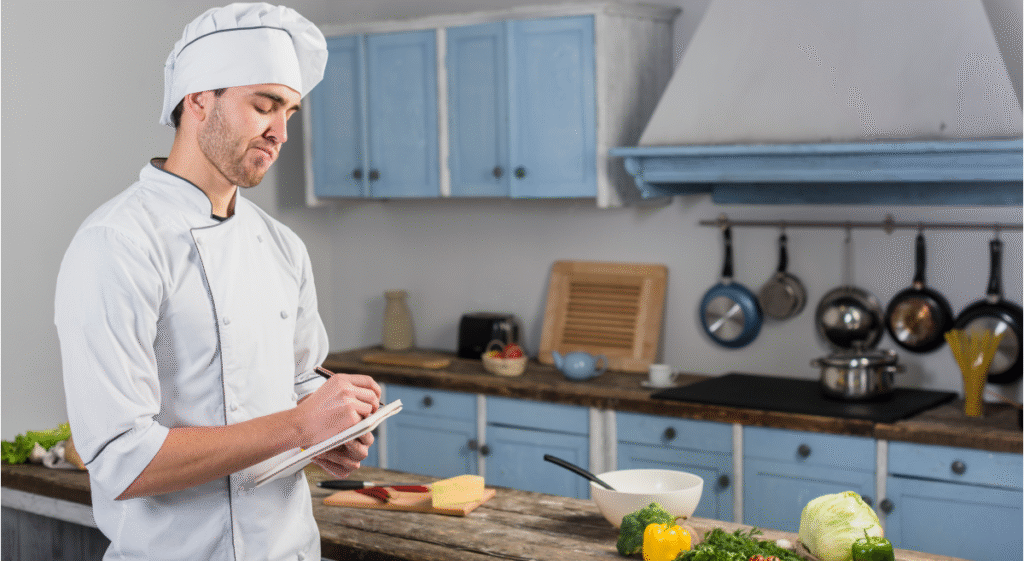
A cloud kitchen — also called a ghost kitchen, dark kitchen, or virtual kitchen — prepares food for delivery and pickup only, often running several brands out of a single physical space. There’s no front-of-house, no server taking orders tableside, and often no single “restaurant” identity at all.
Traditional POS software was built around a dining room: table maps, tabs, server check-outs. Cloud kitchen POS software is built around a different reality — orders that arrive digitally, from multiple sources, that all need to land on the same kitchen line in the right sequence.
How Cloud Kitchens Operate Differently
A single cloud kitchen unit might run three or four virtual brands off one menu of shared ingredients, fulfil orders from Uber Eats, DoorDash, a branded app, and a website, and staff a kitchen line that has seconds — not minutes — to catch a missed modifier or a rush order. Any friction in that chain shows up immediately as a late order, a wrong item, or a bad review.
Core Capabilities a Cloud Kitchen POS Must Have
At minimum, cloud kitchen management software needs to unify order intake, route tickets to the right prep station, process payments across channels, and give the owner visibility into what’s actually selling. Everything beyond that — loyalty, multi-location reporting, staff scheduling — builds on top of that foundation.
The Real Cost of Running a Cloud Kitchen Without the Right POS
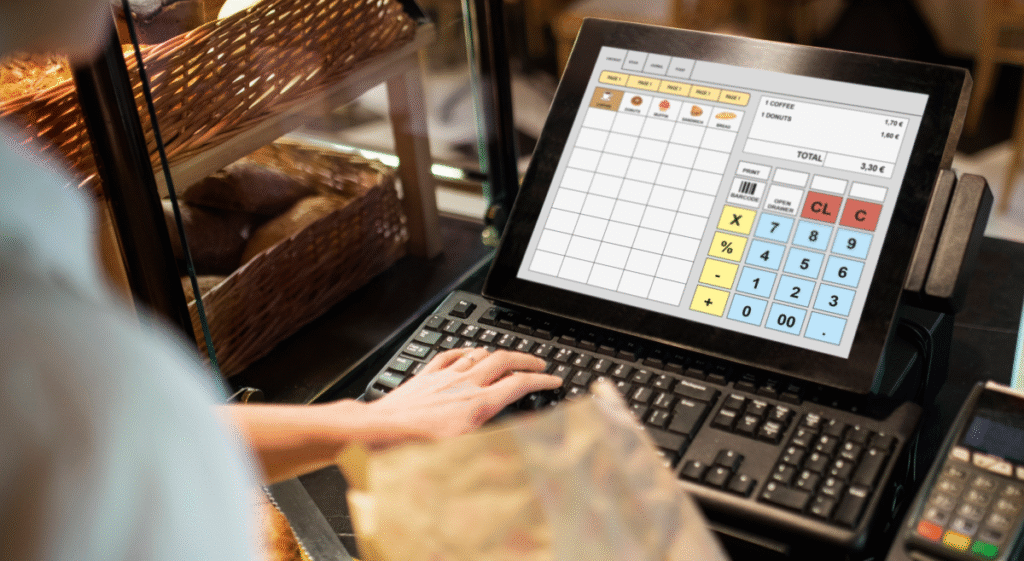
Operators who run cloud kitchens on spreadsheets, tablets propped up for each delivery app, and a separate card reader usually don’t notice the cost until it’s already eaten into margin.
- Order chaos. Staff manually re-keying orders from three or four tablets into the kitchen misses items, doubles up on prep, and slows every ticket down during a rush.
- Commission bleed. Third-party delivery apps typically take 15–30% per order. Without a way to route more orders through owned channels, that commission compounds against already-thin margins.
- Tool sprawl. A separate ordering tablet, a separate payment terminal, a separate spreadsheet for inventory, and a separate app for reporting means staff are trained on four systems instead of one — and nothing talks to anything else.
- Blind spots on performance. Without a live analytics dashboard, it’s nearly impossible to know which virtual brand, dish, or daypart is actually profitable until you’re reconciling numbers weeks later.
Industry data backs this up: market research firms put the global cloud kitchen market in the range of roughly $70–85 billion as of the mid-2020s, with most forecasts projecting double-digit annual growth through the early 2030s as more operators shift toward delivery-first formats. Growth at that pace means operators who are still stitching together manual workflows are increasingly competing against kitchens running on unified, purpose-built systems.
Example: What Commission Bleed Looks Like in Practice
Take a kitchen doing 3,000 delivery orders a month at a $20 average ticket — $60,000 in monthly revenue. At a 25% blended commission across delivery apps, that’s $15,000 gone before payroll, rent, or food cost even enter the picture. Shifting even 20% of that volume to direct or in-house ordering channels puts roughly $3,000 a month back into the business — money that a fragmented setup of separate tablets and terminals has no way to capture, because there’s no unified system nudging customers toward the cheaper channel.
A Common Pattern in Multi-Brand Kitchens
Operators running two or three virtual brands out of one kitchen often describe the same turning point: the day they stopped tracking orders by app and started tracking them by platform. Once every channel feeds into one queue, kitchen staff stop losing time toggling between tablets, and owners stop guessing which brand is actually carrying the location. That shift usually shows up first in fewer missed or late orders, then later in the sales data once a few weeks of clean reporting have accumulated.
Must-Have Features in Cloud Kitchen POS Software
Not every POS marketed to restaurants is actually built for cloud kitchen operations. Here’s what to look for.
Order Aggregation & Multi-Channel Management
The system should pull in orders from every delivery app, your own website or app, and walk-in pickup into a single queue — automatically, without a staff member re-typing anything. This is the single biggest time-saver for a busy line and the most common point of failure when it’s missing.
Real-Time Kitchen Display & Ticket Routing
A kitchen display system (KDS) that shows live order status, routes tickets to the correct prep station, and flags aging orders keeps a multi-brand kitchen line moving without paper tickets getting lost or orders sitting untouched.
Integrated Payments
Payments should settle inside the same platform that takes the order — not through a separate terminal that requires manual reconciliation at the end of the night. Integrated payments cut down on errors and give you a single, accurate record of every transaction.
Multi-Brand & Virtual Menu Management
Most cloud kitchens run more than one brand out of the same kitchen. The POS needs to let you manage separate menus, separate branding, and separate pricing per virtual concept, while still tracking shared ingredients and prep on the back end.
Analytics & Sales Insights
A live dashboard showing best-sellers, peak order windows, average ticket size, and channel-by-channel performance turns guesswork into decisions — what to feature, what to cut, and when to staff up.
Loyalty, CRM & Repeat Orders
Even delivery-only brands benefit from repeat-customer tools. Loyalty and promotions built into the ordering flow help pull customers toward direct channels instead of paying a commission on every single order.
How to Choose the Right Cloud Kitchen POS Software
Before signing a contract, walk through a short checklist:
- Does it aggregate every order source you actually use — delivery apps, your own app, walk-up — into one queue?
- Can kitchen staff see and act on orders in real time, without needing to check multiple screens?
- Are payments processed inside the platform, or does someone still need to reconcile a separate terminal by hand?
- Can it handle multiple brands or menus from a single kitchen if you plan to run more than one concept?
- Does the analytics dashboard answer real questions — best-sellers, slow items, peak hours — without needing a spreadsheet export?
- Is it built to add locations or brands later, or will you outgrow it in a year?
If a platform can’t answer “yes” to most of these, it’s likely built for a dine-in restaurant with delivery bolted on — not for a cloud kitchen operation.
Why Restaurant and Cloud Kitchen Operators Choose Swizzle
Swizzle was built around the same pain points cloud kitchen operators run into every day: orders scattered across tools, commissions eating into margin, staff bouncing between systems, and no clear picture of what’s actually selling.
Order & Kitchen Management Without the Chaos
Swizzle brings online orders, in-house ordering, and kitchen tracking into a single view, so staff aren’t re-entering tickets by hand or working off four different screens during a rush. Orders move from intake to the kitchen line in real time, which matters most when a kitchen is running several brands at once and can’t afford a missed modifier.
Cutting Down Commission Losses
Because Swizzle handles ordering and payments directly, it gives operators a real alternative to routing every order through a third-party app and losing a chunk of the ticket to commission. More orders through owned channels means more of each sale actually stays with the business.
One Platform Instead of Five
Rather than stitching together a separate ordering tablet, a separate payment terminal, and a separate reporting tool, Swizzle handles orders, payments, menu management, and analytics in one place. That’s fewer systems for staff to learn and fewer places for something to go wrong.
Data You Can Actually Act On
Swizzle’s analytics dashboard shows what’s selling, when, and how each channel is performing — so decisions about menu changes, staffing, or which virtual brand to push aren’t based on guesswork. For operators running multiple concepts out of one kitchen, that visibility is often the difference between a profitable brand and one that’s quietly losing money.
For operators who also run a dine-in or hybrid format alongside delivery, Swizzle’s reservation and in-table ordering tools carry over as well, so the same platform can support the business as it grows beyond delivery-only.
Getting Started: Implementation Best Practices
Switching POS systems mid-operation is disruptive if it’s rushed. A few practices make the transition smoother:
- Migrate menus first, in a test environment, so pricing and modifiers are verified before go-live.
- Train kitchen staff on the KDS before the front-of-house workflow, since the kitchen line is where errors are costliest during a rush.
- Run both systems in parallel for a few days if possible, especially during a multi-brand transition, to catch mismatched orders early.
- Set up the analytics dashboard from day one, so you have a clean baseline to compare performance against once the new system is fully live.
Conclusion: Choosing Cloud Kitchen POS Software That Actually Fits
Cloud kitchen POS software isn’t a nice-to-have add-on to a delivery business — it’s the operational backbone that determines whether a kitchen runs smoothly or falls apart during a Friday night rush. The right system aggregates every order channel, keeps the kitchen line moving in real time, processes payments without manual reconciliation, and gives you clear, actionable data on what’s actually working.
Before choosing a platform, run it against the checklist above: order aggregation, real-time kitchen visibility, integrated payments, multi-brand support, and analytics you can actually use. If you’re evaluating options for a delivery-only or multi-brand kitchen, take a closer look at how Swizzle handles order, kitchen, and payment management in one platform — it’s built to solve exactly the problems outlined in this guide.
Frequently Asked Questions
What is cloud kitchen POS software? Cloud kitchen POS software is a system built specifically for delivery-only or multi-brand kitchens. It aggregates orders from delivery apps, websites, and in-house channels into one queue, routes them to the kitchen in real time, and processes payments — replacing the need for separate tablets and terminals per order source.
How is cloud kitchen POS software different from a regular restaurant POS? A regular POS is built around a dining room — table maps, server check-outs, tabs. Cloud kitchen POS software is built around digital order intake from multiple channels feeding a single kitchen line, with no dine-in workflow required.
Can one cloud kitchen POS handle multiple virtual brands? Yes, if it’s built for it. Look for a platform that supports separate menus, pricing, and branding per virtual concept while still tracking shared kitchen operations and ingredients on the back end.
Does cloud kitchen POS software reduce delivery app commissions? It can, indirectly. By making it easier to take orders through your own website, app, or in-house channels, a good POS gives customers a reason to order directly instead of through a third-party app, reducing how much revenue goes to commission over time.
What features matter most when comparing cloud kitchen POS software? Order aggregation across channels, a real-time kitchen display system, integrated payments, multi-brand menu management, and a live analytics dashboard are the features that most directly affect daily operations and profitability.
Is cloud kitchen POS software worth it for a single-brand delivery kitchen? Yes. Even a single-brand kitchen benefits from unified order intake, real-time kitchen tracking, and sales analytics — the operational problems it solves aren’t limited to multi-brand operations.