
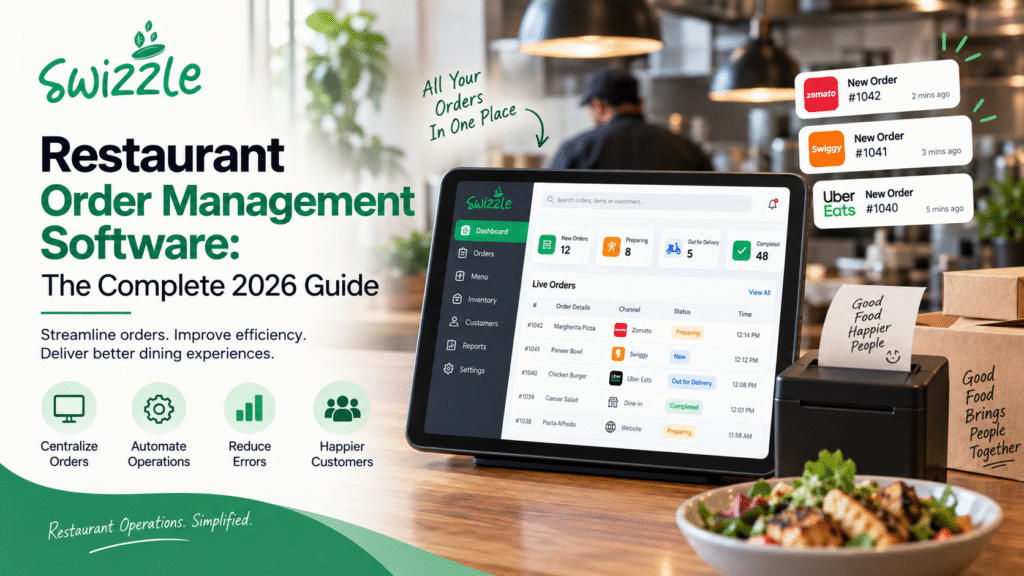
It’s 7:40 PM on a Friday. Two tables are double-booked because the host wrote the same slot twice in a paper diary. The kitchen printer jams on a rush order. A delivery app just took 28% of a $60 ticket before the food even left the pass. None of this is unusual — it’s just what a night looks like at a restaurant running on disconnected tools.
Restaurant order management software solves this by pulling reservations, orders, payments, and kitchen tracking into one system, so staff stop juggling apps and start running service. For owners tired of double bookings, commission bleed, and guesswork about what’s actually selling, this is the fix that pays for itself within a season.
This guide covers what the software actually does, the features worth paying for, how it stacks up against a traditional POS, and what to look for before you sign a contract.
What Is Restaurant Order Management Software?
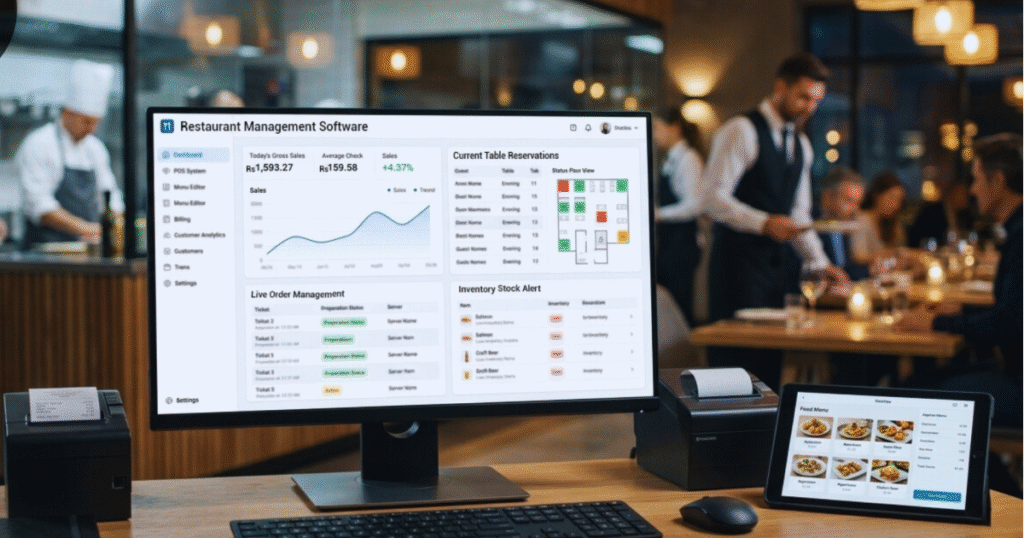
Restaurant order management software is a platform that centralizes how orders move through your restaurant — from the moment a guest books a table or opens the app, through the kitchen, to the final payment. Instead of a reservation book, a separate POS, three delivery-app tablets, and a spreadsheet for inventory, everything routes through one dashboard.
The category sits at the intersection of POS software, table reservation systems, and delivery management tools, but it’s broader than any single one of those. A true order management platform doesn’t just process a transaction — it tracks the order’s entire lifecycle: booked, placed, fired to the kitchen, prepared, served, paid, and logged for reporting.
Industry analysts now group this under the wider restaurant management software category, and the growth trajectory is steep. Mordor Intelligence pegs the global market at roughly USD 7.49 billion in 2026, growing to USD 14.73 billion by 2031, driven largely by cloud-first infrastructure and rapid omnichannel ordering growth. That growth isn’t abstract — it reflects thousands of independent restaurants replacing manual processes with software this year.
Why Restaurants Struggle Without It
Running a restaurant on fragmented tools doesn’t just feel chaotic — it actively costs money and guests. Four problems show up again and again.
Manual Reservations Mean Double Bookings and Lost Tables
A paper diary or a shared spreadsheet has no way to stop two hosts from seating the same table twice. Every double booking either turns away a paying guest or forces an awkward renegotiation at the door — and both outcomes cost you a review.
Delivery Apps Take Heavy Commissions
Third-party marketplaces are useful for discovery, but they’re expensive as a primary sales channel. Published rate cards from DoorDash, Uber Eats, and Grubhub show base commissions of roughly 15% for basic listings, around 25% for mid-tier plans, and up to 30% for premium placement. Once processing and marketing fees are layered on, several 2026 cost breakdowns put the effective cost closer to 30–40% of the order total — meaning a restaurant running 50 delivery orders a week can be handing over tens of thousands of dollars a year in commission alone.
Juggling Multiple Tools Slows Down Staff
A host stand app, a separate POS, a third tablet for each delivery platform, and a whiteboard for the kitchen — every extra system is another login, another place for an order to get lost, and another few seconds added to every guest interaction during peak hours.
Missed Insights on What’s Selling and When
Without a unified dashboard, owners are left guessing which dishes drive margin, which time slots need more staff, and which promotions actually moved the needle. Decisions get made on gut feeling instead of data — and in a business with thin margins, that gap adds up fast.
Core Features to Look For in Restaurant Order Management Software
Not every platform covers the same ground. Here’s what a genuinely complete system should include.
Smart Reservations
Real-time table availability, automatic conflict prevention, and waitlist management remove the double-booking risk entirely. Look for a system that syncs reservations across your website, phone bookings, and walk-ins in one view.
Real-Time Kitchen Tracking
Orders should fire directly to a kitchen display or printer the moment they’re placed, with status updates (fired, in progress, ready) visible to both kitchen and front-of-house staff. This is what keeps a Friday-night rush from turning into a ticket pile-up.
Integrated Payments
Payments processed inside the same platform that took the order eliminate manual reconciliation, reduce errors, and give you one clean record per transaction instead of three separate systems to cross-check at close.
Online and Table Ordering
Guests should be able to order from a QR code at the table or through a branded online ordering page — without routing through a third-party marketplace that takes a cut and owns the customer relationship.
Menu Management
Centralized menu management means a price change, an 86’d item, or a seasonal special updates everywhere at once — table ordering, online ordering, and kitchen display — instead of requiring five separate edits.
Analytics Dashboard
A live view of sales by item, table turn times, peak hours, and channel performance turns guesswork into decisions you can actually act on before the next shift, not after the month closes.
Loyalty and Promotions
Built-in loyalty and CRM tools let you reward repeat guests and run targeted promotions directly — building the kind of retention that reduces how much you need to rely on paid delivery-app traffic.
Restaurant Order Management Software vs. Traditional POS
A traditional POS system is built primarily to process payments and print receipts. Order management software does that too, but extends much further into reservations, kitchen coordination, online ordering, and analytics — the parts of service that happen before and after the payment.
| Capability | Order Management Software | Traditional POS |
| Reservations | Built in, conflict-free | Usually a separate add-on |
| In-table / QR ordering | Native | Rare or bolted on |
| Integrated payments | Yes | Yes |
| Kitchen tracking | Real-time, connected | Often just a printer |
| Analytics & insights | Unified dashboard | Basic sales reports |
| Loyalty & CRM | Built in | Usually a third-party plug-in |
| Multi-location support | Designed for it | Varies widely |
The practical difference shows up on a busy night: a POS tells you what was sold. Order management software tells you what’s booked, what’s cooking, what’s selling, and what a guest is likely to order next.
How to Choose the Right System for Your Restaurant
Before signing with any vendor, run through this checklist:
- Map your actual workflow. List every tool you currently use — reservations, POS, delivery tablets, inventory sheet — and check whether the new platform genuinely replaces all of them or just adds another login.
- Ask about commission-free ordering. Confirm the platform lets you take online and in-table orders without routing them through a third party that takes a percentage.
- Check kitchen integration. Ask for a live demo of how an order moves from guest to kitchen display, not just a slide describing it.
- Confirm multi-location readiness, even if you only run one site today — it’s expensive to migrate later if you expand.
- Review the analytics depth. A dashboard that only shows total sales isn’t enough; look for item-level and time-of-day breakdowns.
- Ask about onboarding and support hours, especially coverage during dinner service, when most issues actually happen.
What the Data Says About the ROI
The shift toward unified platforms isn’t a trend restaurants are adopting reluctantly — the data shows measurable payback. Industry research indicates that more than 58% of operators report measurable reductions in order processing errors after implementing management software, and that 69% of multi-location restaurants now prioritize centralized dashboards over siloed, per-location tools.
On the digital ordering side, adoption is now closer to a default than a differentiator: broader market research puts online ordering and reservation tool adoption above 72% of restaurants, with 63% of operators upgrading their digital ordering systems specifically to keep pace with guest expectations.
The commission math reinforces the same conclusion. If effective third-party delivery costs are running 30–40% per order, shifting even a portion of that volume to a direct, commission-free channel — while keeping the operational benefits of one connected system — is one of the more straightforward margin recovery moves available to an independent restaurant today.
Why Restaurants Are Choosing Swizzle
Swizzle was built around one idea: running a restaurant shouldn’t mean fighting five different tools to get through a single shift. It brings smart reservations, real-time kitchen tracking, integrated payments, online and table ordering, menu management, an analytics dashboard, and loyalty and promotions into one platform — so orders and reservations move without the manual handoffs that cause errors.
| Feature | Swizzle | Other Tools |
| Reservations | ✅ Built in | Often separate |
| In-table ordering | ✅ Native QR ordering | Limited or add-on |
| Integrated payments | ✅ | Varies |
| Analytics & insights | ✅ Unified dashboard | Basic reporting |
| Loyalty & CRM | ✅ Built in | Third-party plug-in |
| Multi-location ready | ✅ | Varies widely |
For an owner comparing platforms, the practical question isn’t which one has the most features on a landing page — it’s which one removes the most manual steps from your actual Friday night. That’s the test Swizzle was designed around: fewer logins, fewer handoffs, and one dashboard that shows reservations, kitchen status, and sales in the same view.
A Quick Scenario: A Friday Night, Before and After
Before: A host manually checks a paper diary while three delivery tablets buzz with new orders. A server relays a dish to the kitchen verbally, it gets missed, and a table waits 20 extra minutes. At close, someone spends an hour reconciling three separate payment reports.
After: Reservations sync automatically with no double bookings. Orders — whether placed by QR code at the table or online — fire straight to the kitchen display with status tracking. Payments settle in one system. At close, the manager opens one dashboard and already knows tonight’s top sellers, table turn time, and total revenue by channel.
That’s the practical difference restaurant order management software makes — not a feature list, but fewer places for a Friday night to go wrong.
FAQs
What is restaurant order management software?
It’s a platform that centralizes reservations, in-table and online ordering, kitchen tracking, and payments into one system, replacing separate tools with a single connected workflow for restaurant operations.
Is order management software different from a POS system?
Yes. A POS mainly processes payments, while order management software also handles reservations, kitchen coordination, online ordering, and analytics — covering the full order lifecycle, not just the transaction.
How much do restaurants pay in delivery app commissions?
Third-party delivery platforms typically charge 15–30% commission per order, with effective costs — including processing and marketing fees — often reaching 30–40% once everything is factored in.
Can order management software reduce delivery commission costs?
Yes. By offering commission-free online and table ordering directly through your own platform, you can shift repeat customers away from third-party marketplaces and keep a larger share of each order.
Is restaurant order management software worth it for a single-location restaurant? Yes. Even single-location restaurants benefit from eliminating double bookings, reducing order errors, and gaining sales visibility — and choosing a multi-location-ready platform early avoids a costly migration if you expand later.
Conclusion
Restaurant order management software isn’t a nice-to-have anymore — it’s what separates restaurants that run smoothly from restaurants that lose tables, margin, and staff hours to disconnected tools. The core features to prioritize are clear: conflict-free reservations, real-time kitchen tracking, integrated payments, commission-free ordering, centralized menu management, real analytics, and built-in loyalty.
If your current setup means juggling a paper diary, three delivery tablets, and a POS that doesn’t talk to any of them, that’s the gap worth closing first. Swizzle brings all of it into one platform built specifically for restaurants that want to spend Friday night focused on food and guests — not fixing a double booking.