
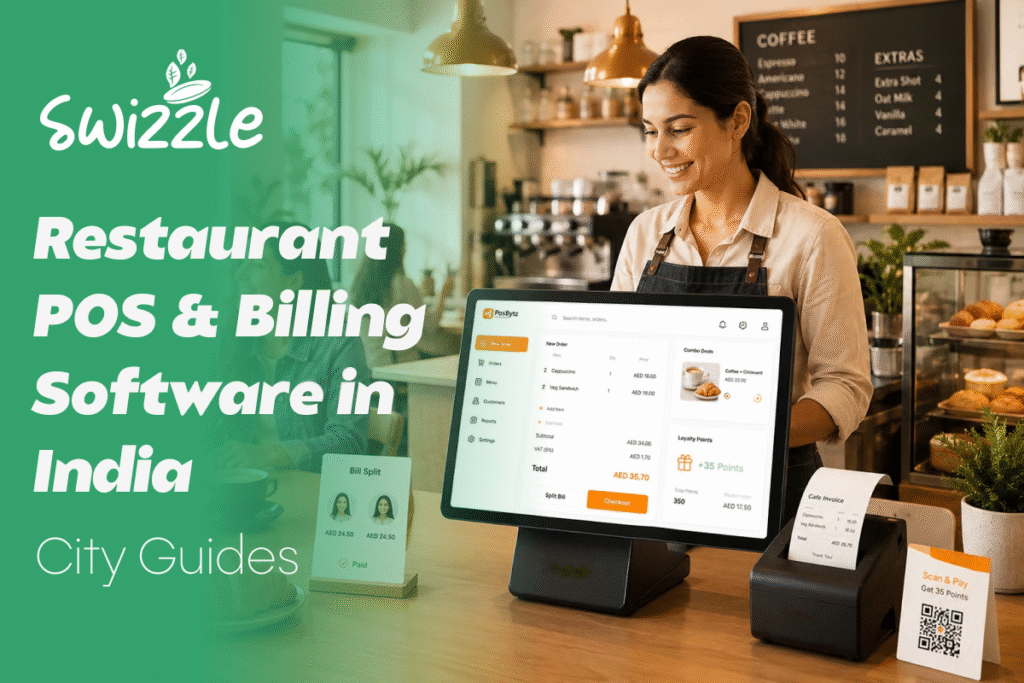
A table of six leaves at 9:40 on a Saturday night because nobody can find their booking. The kitchen is two orders behind. The cashier is adding GST by hand to a bill that has already printed twice.
That is rarely a staffing problem. It is a software problem. This guide, Restaurant POS & Billing Software in India: City Guides, explains what a modern system should do, how needs shift from Mumbai to Ludhiana, and how to choose one you will still like in two years. It is written for restaurant owners, café operators and hospitality managers who want a straight answer instead of a feature dump.
Key Takeaways
- A restaurant POS takes orders, routes them to the kitchen, bills them with the right GST and records payment. The better ones add reservations, table ordering and loyalty.
- Most standalone restaurants charge 5% GST with no input tax credit, so a billing error costs you directly.
- City matters. Rent, peak hours, delivery dependence and staff availability differ, and your setup should follow.
- Test any system with a mock Saturday rush before you sign.
What Restaurant POS and Billing Software Actually Does
A restaurant POS (point-of-sale) system is where orders are taken, sent to the kitchen, billed and paid. Billing software is the part that produces GST-compliant invoices, splits bills and logs every payment.
Older billing tools stop there. Newer platforms connect the whole floor: reservations, kitchen tracking, table ordering, payments, menu updates, analytics and loyalty. That connection is what removes the double bookings and lost tables that manual systems create.
Why Basic Billing Tools Stop Working
The industry is large and still growing. The National Restaurant Association of India (NRAI) put food services at Rs 5.69 lakh crore in FY24, heading to Rs 7.76 lakh crore by FY28, which is 8.1% growth a year. The organised segment is expected to grow faster, at 13.2%.
More volume exposes weak spots:
- Manual reservations lead to double bookings and empty tables.
- Delivery apps take heavy commissions. In July 2026, Bengaluru’s hotel association said members were paying between 8% and 28%, and more than 1,000 restaurants threatened to delist.
- Several tools for billing, bookings and loyalty slow your staff and split your data.
- Missed insights mean you do not know what sells, or when.
A quick worked example shows why owners push back. Take a Rs 500 delivery order on a 22% commission, a rate within the range commonly reported for Zomato. The commission is Rs 110. Platforms also charge 18% GST on that commission, which adds Rs 19.80. You have handed over Rs 129.80, about 26% of the order, before ads or discount sharing. This is an illustration, not your contract, so plug in your own rate.
Payments have shifted as well. UPI handled 24.51 billion transactions in August 2026, its highest month so far. A POS that treats UPI as an afterthought is already behind your customers.
What to Demand From Any System
Before comparing brands, write down what the software must do on your floor. These six areas cover most of what goes wrong.
- GST-ready billing. Standalone restaurants charge 5% (2.5% CGST plus 2.5% SGST) without input tax credit. Restaurants in hotels where a room was tariffed above Rs 7,500 a night charge 18% with credit. Smaller operators with turnover up to Rs 1.5 crore can opt for the composition scheme, which bars alcohol service. Confirm your own category with your chartered accountant, then confirm the software supports it.
- Fast order flow. KOT (kitchen order ticket) routing, table transfers, modifiers and split bills. If splitting a bill takes a waiter more than a few taps, it will hurt at 9 pm.
- Integrated payments. UPI, cards and cash reconciled at shift end without someone re-keying figures.
- Reservations and ordering. Bookings and in-table ordering sitting beside billing, not in a separate app.
- Reports you will open. Item-wise sales, peak hours and outlet comparisons.
- Multi-location control. Menus, prices and reports managed from one login. Skipping this on day one is cheap. Retrofitting it later is not.
City Guides: What Changes From Place to Place
No two cities run on the same economics. The notes below are general operating patterns, not rankings, so check them against your own numbers.
For rough scale, NRAI’s 2019 report valued organised food service in 2018-19 at Rs 40,880 crore in Mumbai, Rs 31,132 crore in Delhi and Rs 20,014 crore in Bengaluru. Those figures are dated, but the order of the three metros is a useful reminder of where volume concentrates.
Mumbai
Floor space is tight, rent is high and tables turn fast. An idle table costs money by the minute. Look for quick kitchen tracking, clear table status and firm reservation controls for peak slots. If you run a licensed bar, make sure liquor and food sales are recorded on separate lines, since alcohol sits outside GST.
Delhi NCR
The mix here runs from hotel restaurants to standalone dining, banquets and a big bar scene. Hotel premises may fall into the 18% slab, so GST setup is the first thing to verify. Groups with outlets across Delhi, Gurugram and Noida need central menu and price control. Service charge has been disputed in court, so keep that setting easy to change.
Bengaluru
Cafés, breweries and a customer base that pays by phone. Delivery commission is the loudest topic, which gives direct ordering and loyalty real weight. Analytics help you decide which dishes deserve a place on a delivery menu at all.
Hyderabad
Heavy dine-in and delivery volume, especially in biryani and quick-service formats. Speed, bulk-order handling and dependable kitchen routing matter more here than elaborate booking features.
Chennai
Many outlets mix counter service with table service and rely on loyal regulars. Loyalty and CRM tools turn those regulars into a list you can message. Menu management matters when daily specials change.
Pune
Student and IT crowds, a strong café culture and weekend peaks. Promotions pay off in repeat-heavy neighbourhoods, so a happy-hour offer should take minutes to set up, not a support ticket.
Kolkata
Legacy restaurants, long menus and staff who grew up on paper. Check that a large menu loads without lag. Training time matters more than feature count.
Tier-II and Tier-III cities
This is where expansion is heading. A Grant Thornton Bharat and NRAI report found that 94% of operators plan to expand into smaller cities, and about 78% expect to break even within two years. Close to 60% also reported shortages of kitchen and service staff.
So the software has to be learnable in one shift by a new hire, and it has to show owners what is happening in outlets they cannot visit every day. Daily sales, voided items and discounts by outlet should reach the owner’s phone without a call to the manager. The report also found that expansion into smaller cities is not a copy of the metro playbook, and the same goes for the software you pick.
Where Swizzle Fits
Swizzle is a restaurant management platform that pulls reservations, orders and payments into one workflow, so your team spends its time on food and guests instead of switching screens. It covers smart reservations, real-time kitchen tracking, integrated payments, online and table ordering, menu management, an analytics dashboard, and loyalty and promotions.
Here is how that compares with a typical patchwork of separate tools:
| Feature | Swizzle | Other tools |
| Reservations | Built in | Varies; often a separate product |
| In-table ordering | Built in | Varies; often an add-on |
| Integrated payments | Built in | Varies; often handled outside the POS |
| Analytics and insights | Built in | Varies; often basic reports |
| Loyalty and CRM | Built in | Varies; often a separate app |
| Multi-location ready | Yes | Varies |
Each pain point from earlier has a direct answer. A shared booking system ends double bookings. Online and table ordering give guests a way to order from you directly, which lessens reliance on commission-heavy apps. One platform replaces the stack of tools that slows staff. And the analytics dashboard shows what is selling and when.
Picture the same Saturday night from the opening. The six-person booking is already on the floor plan, so nobody scrambles. Orders reach the kitchen as they are placed, so the delay shows up on a screen before the guest notices it. The bill carries the right tax line and closes with a single UPI scan. Next morning, the dashboard shows which dishes carried the evening and which sat idle.
If you are comparing options, see how our table reservation system and restaurant billing software work together.
Mistakes Owners Make When Buying
Most regrets trace back to a handful of decisions made in a hurry.
Buying for the outlet you have today is the most common one. If you plan a second branch or a cloud kitchen within two years, ask how the system handles it now, not later.
Another is judging software by its demo screens instead of its slowest moment. A clean interface at 3 pm tells you little about the 9 pm rush, when a lagging screen means a longer wait for every table.
Owners also tend to treat staff training as an afterthought. Waiters who find the system confusing will quietly return to paper, and your reports will stop matching reality. Ask how long onboarding takes and who delivers it.
Finally, many owners never test how the system fails. Ask what happens during an internet outage, how a wrongly keyed order is voided, and who is allowed to do it. Those answers decide how much leakage you will see.
Choosing a System: A Practical Checklist
- List your must-haves per outlet. A café, a bar and a banquet hall need different things.
- Ask for a demo with your own menu. Generic demo data hides problems.
- Run a mock Saturday rush. Place twenty orders, split five bills, move three tables and take a UPI payment mid-service.
- Check GST and reconciliation. Match one day’s POS report against your bank and UPI statements.
- Ask about support hours. Your worst hour is Saturday night, so find out who answers then.
- Plan the switch. Our guide on how to switch POS systems covers data migration and staff training.
Conclusion
A good POS does not make a restaurant busy. It stops a busy restaurant from leaking money and goodwill. Start by writing down your three biggest daily frustrations, match them to the city notes above, and test every shortlisted system against a real service.
Three things to do this week: confirm your GST category with your accountant, pull last month’s delivery commissions into one number, and book a demo that uses your own menu. If you want to see reservations, ordering, payments and analytics working together, book a Swizzle demo.
Frequently Asked Questions
What is the best POS software for restaurants in India?
There is no single best option. Pick the one that handles your GST category, supports UPI, connects reservations and ordering to billing, and fits the number of outlets you run. Test it against a busy service before committing.
Is GST billing software mandatory for restaurants?
If your restaurant is registered under GST, every invoice must meet GST rules. Software is not legally required, but it removes manual rate errors. Registration and scheme choice depend on turnover, so confirm with your chartered accountant.
How can a POS reduce dependence on Swiggy and Zomato?
A POS with online and table ordering gives guests a direct route to order from you. Pair it with loyalty offers to bring repeat customers back to your own channel. It will not replace delivery apps, but it can shrink the share of orders paying commission.
Does a small café need restaurant POS software?
Yes, once you handle more than a handful of tables or take UPI regularly. A small system speeds up billing, tracks what sells and keeps GST records tidy. Choose one that can add reservations or a second outlet later.
Do POS needs differ between Indian cities?
Yes. Metro outlets face high rent and fast table turns, while smaller cities face staff shortages and rapid expansion. Delivery dependence also varies by city. Choose software that handles your local mix of dine-in, delivery and staffing realities.